
Protecting Labour candidates online during the 2026 General Election
Online abuse is one of the biggest barriers to participation in public life. Areto helps candidates moderate their social media in real time — filtering harm before it reaches you, your team, and your community.

Already signed up?Jump to resources
Face Forward
A two-year initiative providing real-time protection for women and gender-diverse candidates and elected officials. Free, non-partisan, and available across Aotearoa New Zealand, Australia, and the Pacific. Sign up, check your confirmation email, create your account, connect your socials, and get protected.
Sign up →Already signed up?
All other candidates
Any candidate or elected official can access Areto's full content moderation platform directly. Create your account, connect your social channels, and get protected.
Create your account →Creating an account, connecting your socials
Want to know how to create an Areto account and connect your social media accounts, so you can start getting protected? Check out this short video that takes you through the steps.
THE PLATFORM
How Areto works
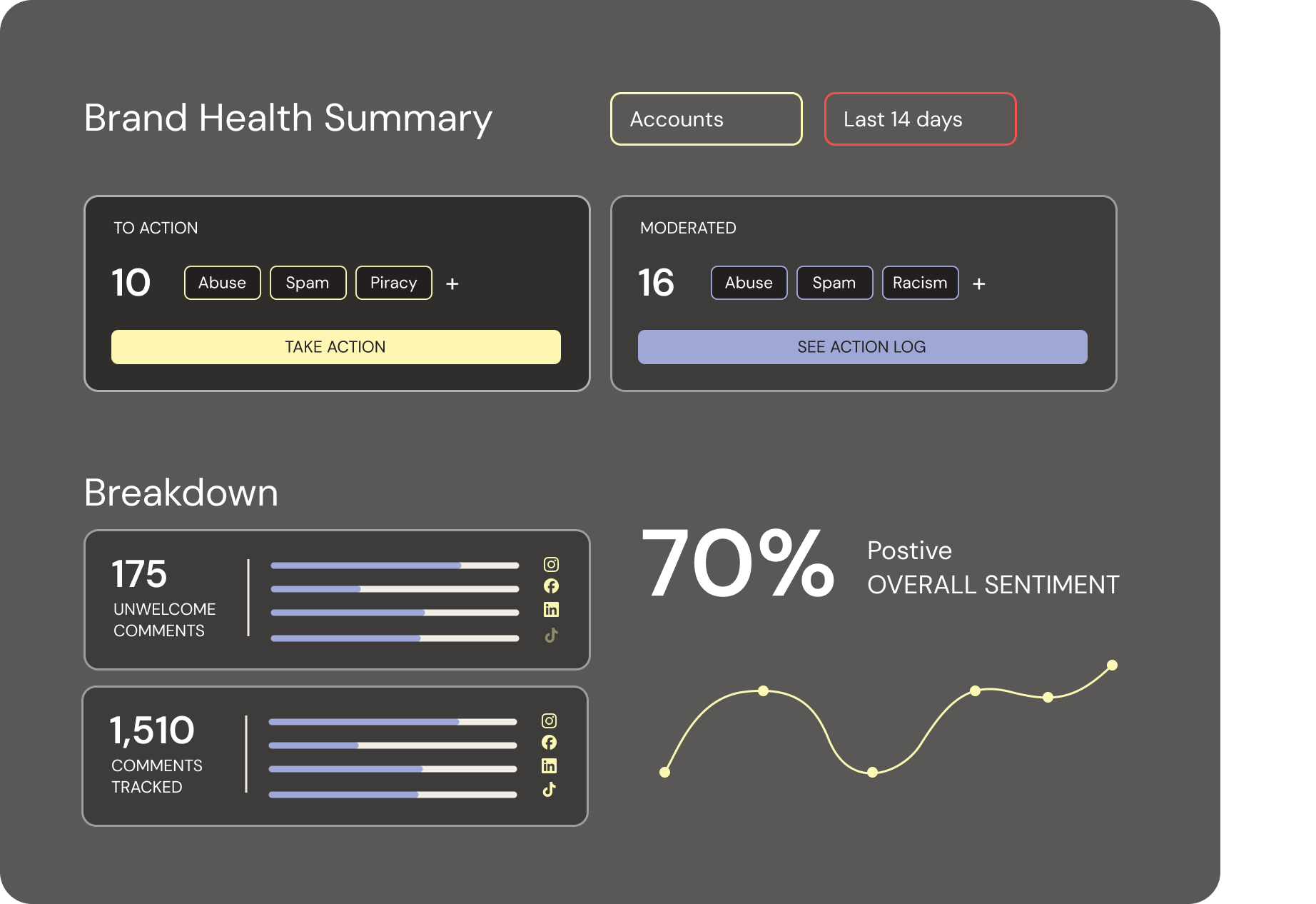
Areto combines AI with human oversight, giving you control to set community thresholds and define what’s acceptable online across your public social media. It supports responsible, transparent moderation that aligns with your community standards, helping you uphold public safety and maintain trust in your digital spaces.
We built Areto in one of the world’s top machine-learning labs to filter the noise and protect the people and work behind the world’s most important places, people and brands – so you can focus on what you came here to do: build a stronger, better community.
Areto’s first priority is to get online harm under control, creating safer social channels for your followers and less clean-up work for your team. Then, our advanced sentiment analysis, return on engagement data analytics and visualizations, and Fan Finder, will help you identify your most engaged supporters, track audience moods and trends, and turn insights into real engagement, stronger connections, and tangible impact.
-
Hide hate speech and abuse
Delete spam and bot traffic
Mute problematic accounts
-
Increase engagement
Identify superfans
See advanced sentiment trends
Understand platform and account trends and content performance
-
Track moderation performance
Build and share customized reports
FAQs
About Areto Software
-
Hides abusive comments
Deletes spam
Works automatically, 24/7
Removes all comment data within 30 days of deactivating Areto
-
Post content on your behalf
Read your DMs
Monitor your mentions
Scan comments on other people’s posts
Ask for or store your passwords
-
Areto works on public Facebook, Instagram, TikTok, YouTube accounts.
-
Yes, we do.
Meet the team

Areto Labs

Areto Labs
ALREADY SIGNED UP?
Everything you need to get started
Your next steps and guides are all below.
Create your Areto account
If you haven't already created your account, use the link in your welcome email to get set up. If you can't find it, get in touch and we'll resend it.
Connect your social accounts
Once you're in Areto, connect the social media accounts you want to protect. Most platforms are straightforward — see the notes below if you're connecting Facebook.
Before you connect your social accounts
Which platforms are you connecting to Areto? If you're connecting Facebook, check below before you start — a few quick steps can save a lot of troubleshooting later.
Facebook & Instagram
You'll need to check your Meta Business Suite set-up before connecting. Run through the steps below — skipping them is the most common reason authentication fails.
Instagram only
Only Instagram Professional accounts (Business or Creator) can connect to Areto.
If your Instagram is a personal account, you'll be prompted to switch to a Professional account during the authentication process.
If you're connecting Facebook and Instagram — check these first
Set up a Meta Business Suite portfolio
Go to business.facebook.comand log in with your Facebook account. Skip if you already have one.
Check you have Full access to the Business Portfolio
Settings → Users → People — your name must show Full access.
Your Name (You)
youremail@example.com
Other User
other@example.com
Add your Facebook Page to your Business Portfolio
Accounts → Pages. Skip if already added.
Add your Instagram account to your Business Portfolio
Accounts → Instagram accounts. If prompted to switch to a Professional account, do this now. Skip if already added.
Link your Facebook Page to your Instagram account
Instagram accounts → click your account → Connected assets tab → Connect assets. Skip if already linked.
1 asset is connected to this Instagram Account
You can connect assets or disconnect them.
Facebook Page
Your Facebook Page
Facebook Page
All done — head to Areto to connect your accounts
Follow the Areto authentication links to complete your setup.
Explore the platform
Once your accounts are connected, use the onboarding guide to get familiar with your dashboard — what's being filtered, how to review it, and how to make the most of the tool.
View onboarding guide